Architecture
Overview
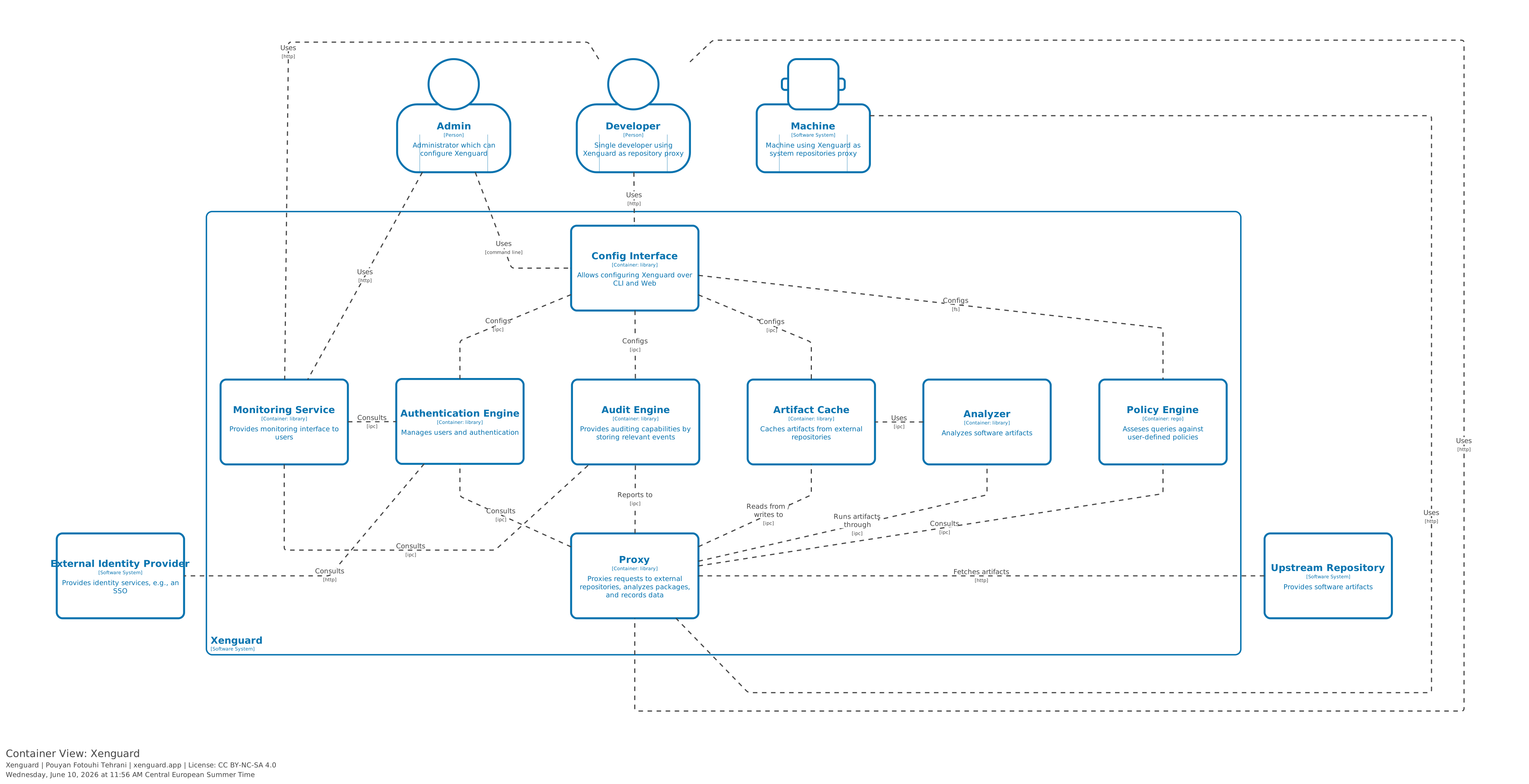
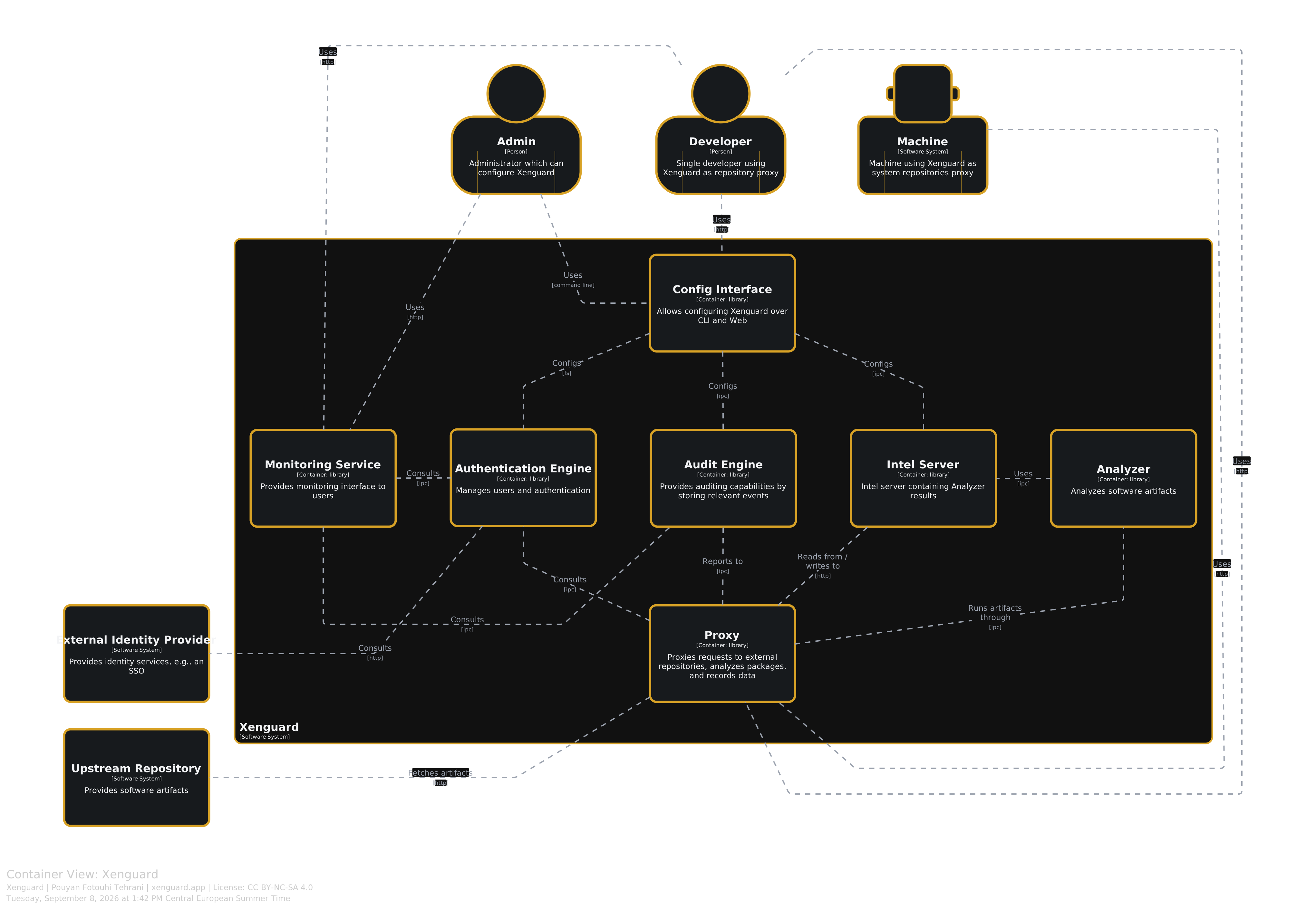
Xenguard is designed with modularity and composibality in mind. Its components are self-contained and the communication succeeds over well-defined interfaces. The diagram above gives an overview of the components (click for an interactive version). A short description for each component is given below.
Important
The terms Software System, Container, Component, and Code has concrete definitions in context of the C4 Model. See here for more.
Containers
In the C4 Mode, containers are defined as follows:
A container is essentially a runtime boundary around some code that is being executed or some data that is being stored.
For each container below, we use three badges:
- : Container has an external interface (e.g., to developer).External
- : Container does not provide any external interface.Internal
- : Container can be configured (e.g., by Admin).Configurable
Note: The containers are listed in alphabetical order and not significance.
Analyzer
An Analyzer is a self-contained piece of software that analyzes a given software artifact and generates a report. For example, it can generate a software bill of material (SBOM) or extract licence terms for a given artifact.
Currently Analyzers are implemented as Go libraries that are embedded into the Proxy container. This might be changed in future to enable language-independent implementation. For example through a well-defined Connect interface.
Audit Engine
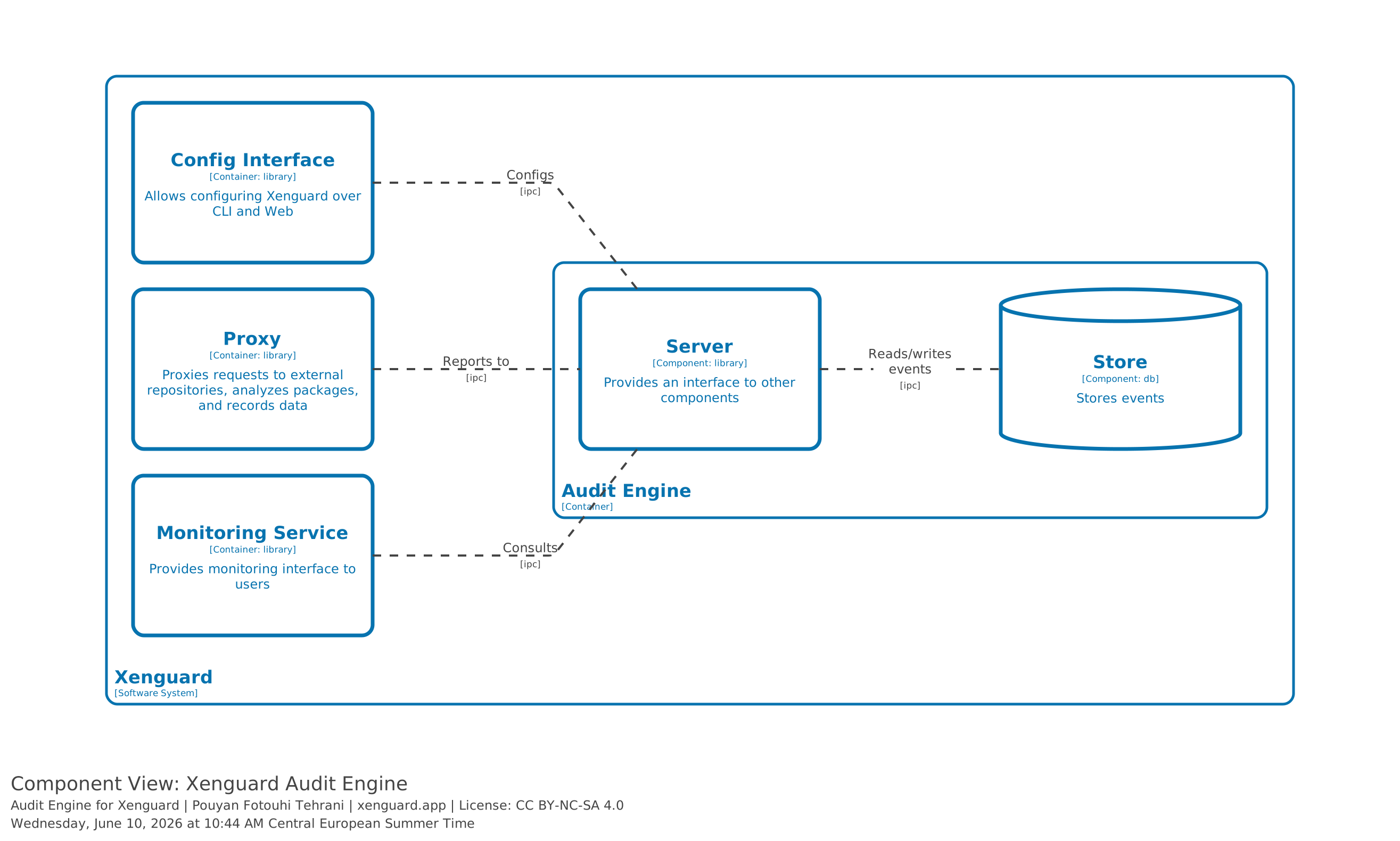
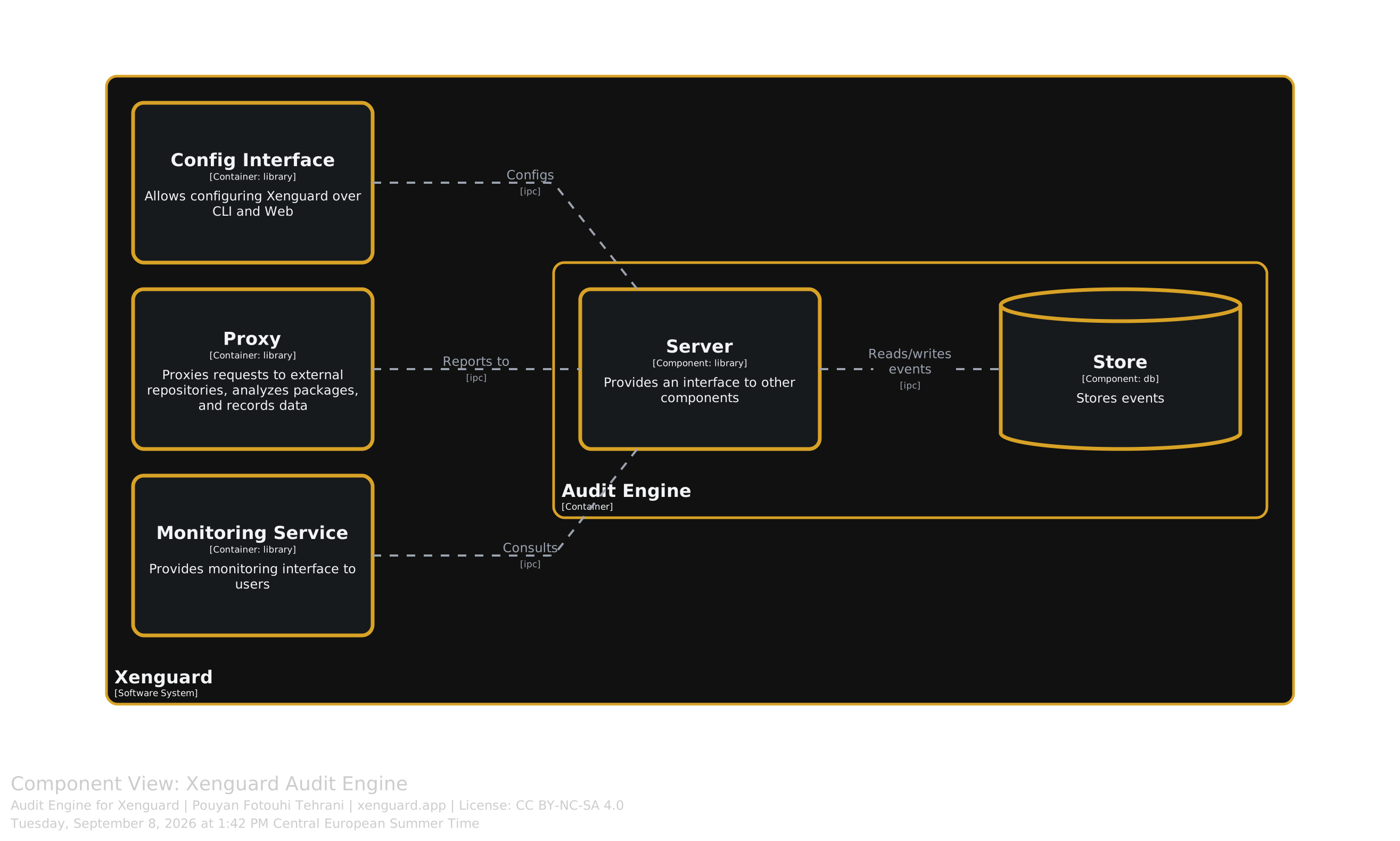
The audit engine provides records various signals emitted from the proxy container, the central unit of Xenguard. This makes it possible to uniquely identify which user queried which artifacts from which repository and at what time. Additionally, the audit engine corelates this data with the analysis data generated by analyzers.
Authentication Engine
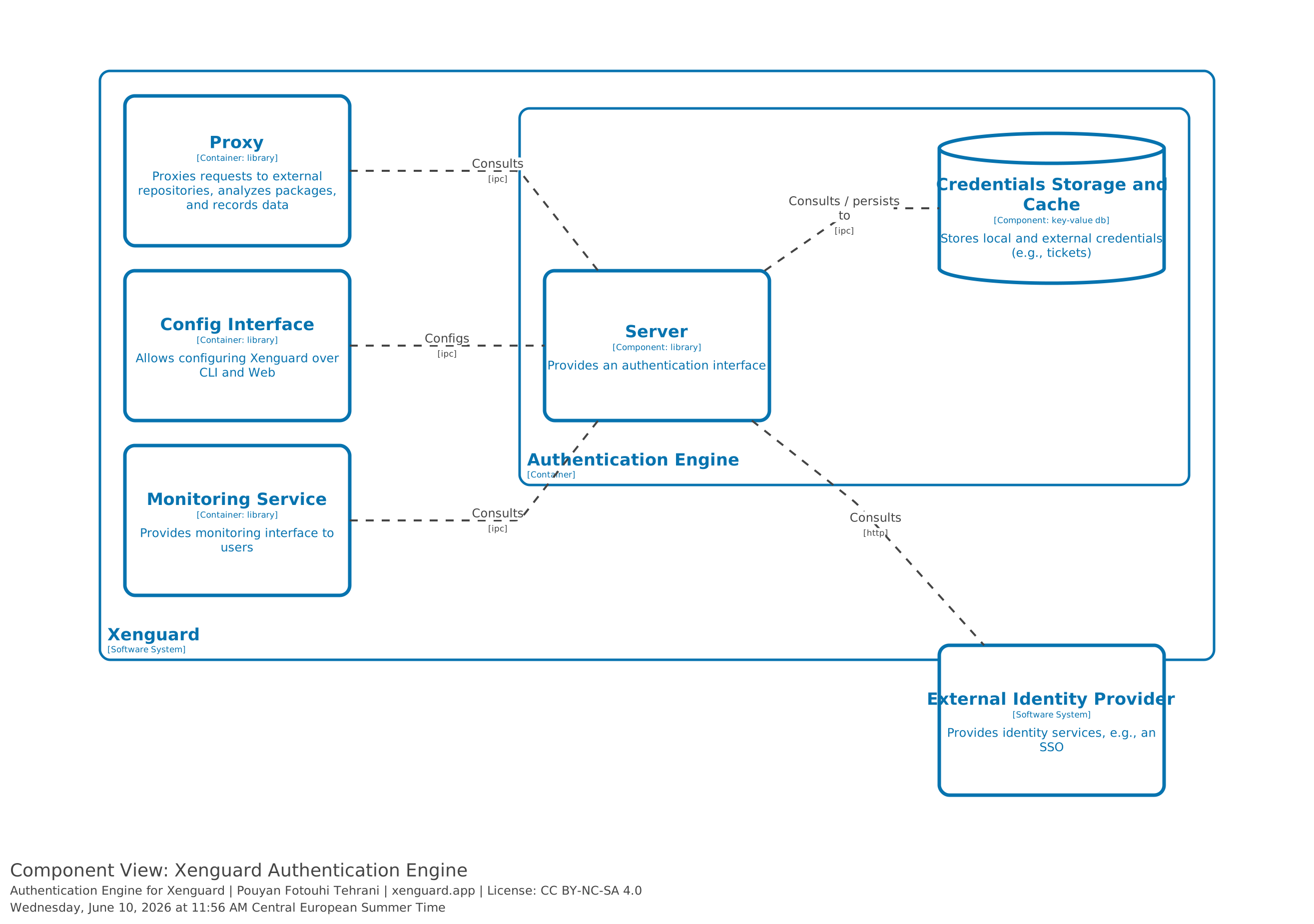
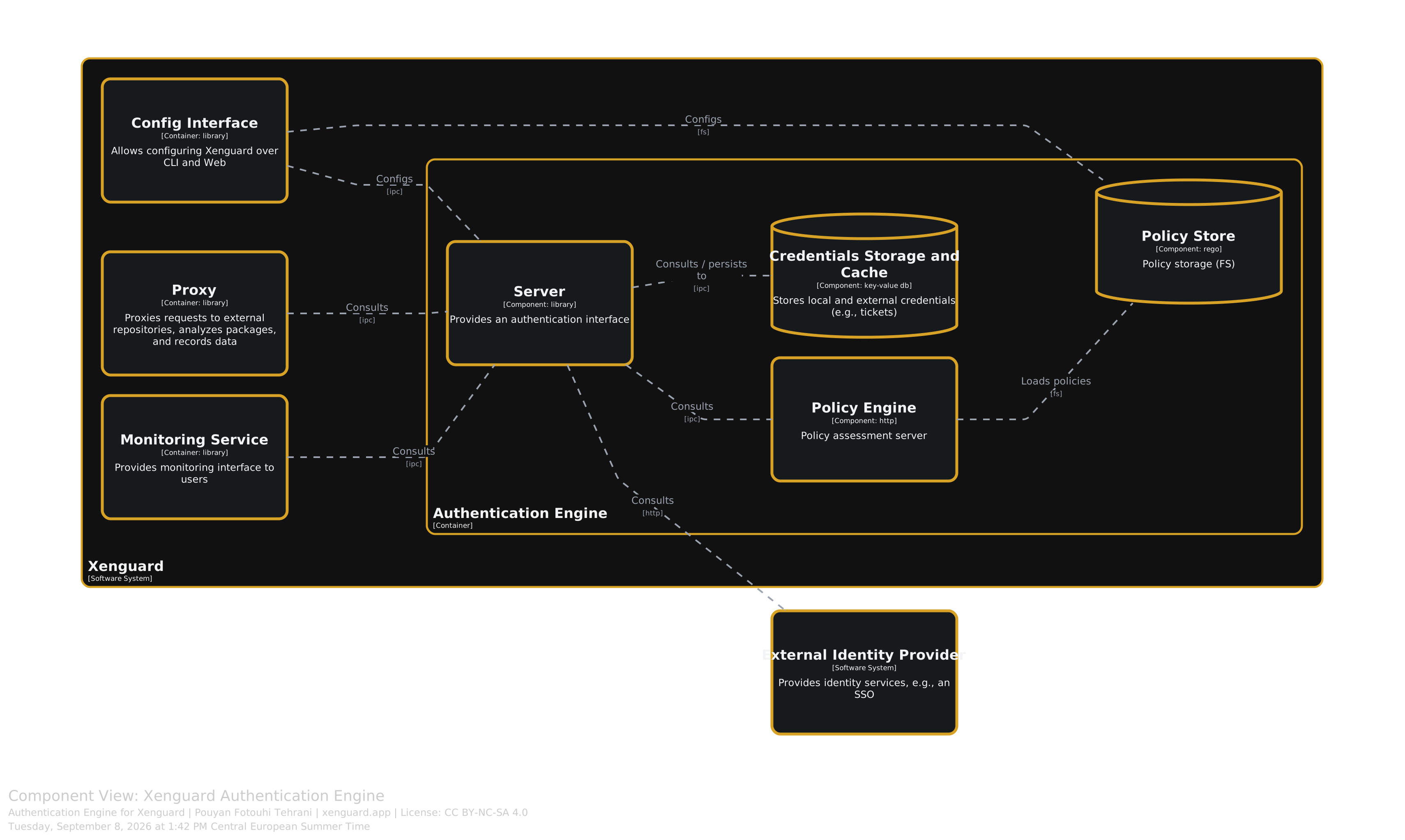
The authentication engine handles identity management and authentication along side policy enforcement. Identities can be defined either locally or be provided by an external identity provider, e.g., LDAP.
While identity management is irrelevant for local deployments, it is important in enterprise settings to know which users or machines queried which artifacts. This allows for proper addressing of compromised artifacts or compliance issues.
The integrated policy engine validates security and compliance policies based on the context provided by the Proxy. Policies are defined in the Rego policy language. See this blog post for more information.
Config Interface
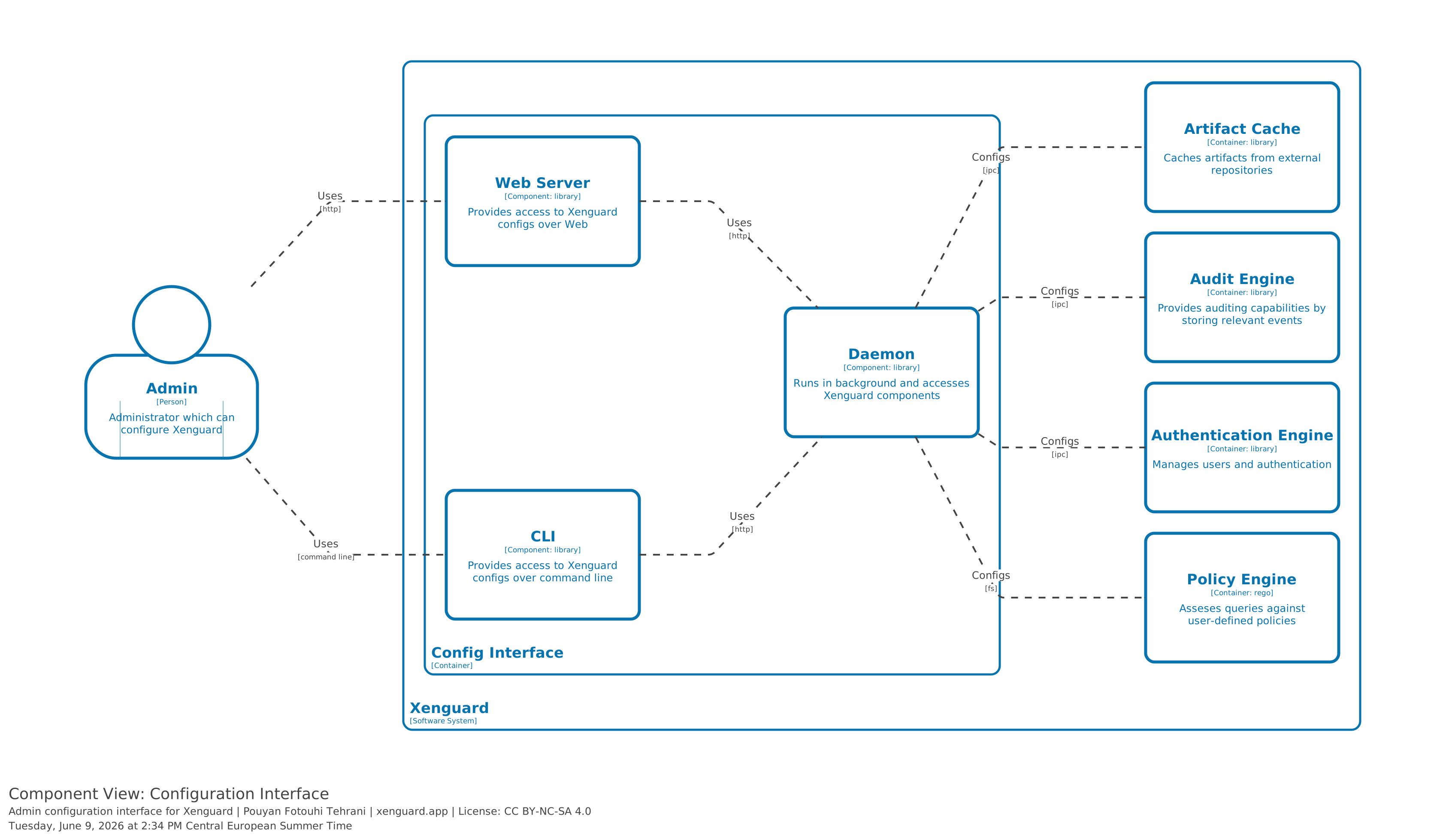
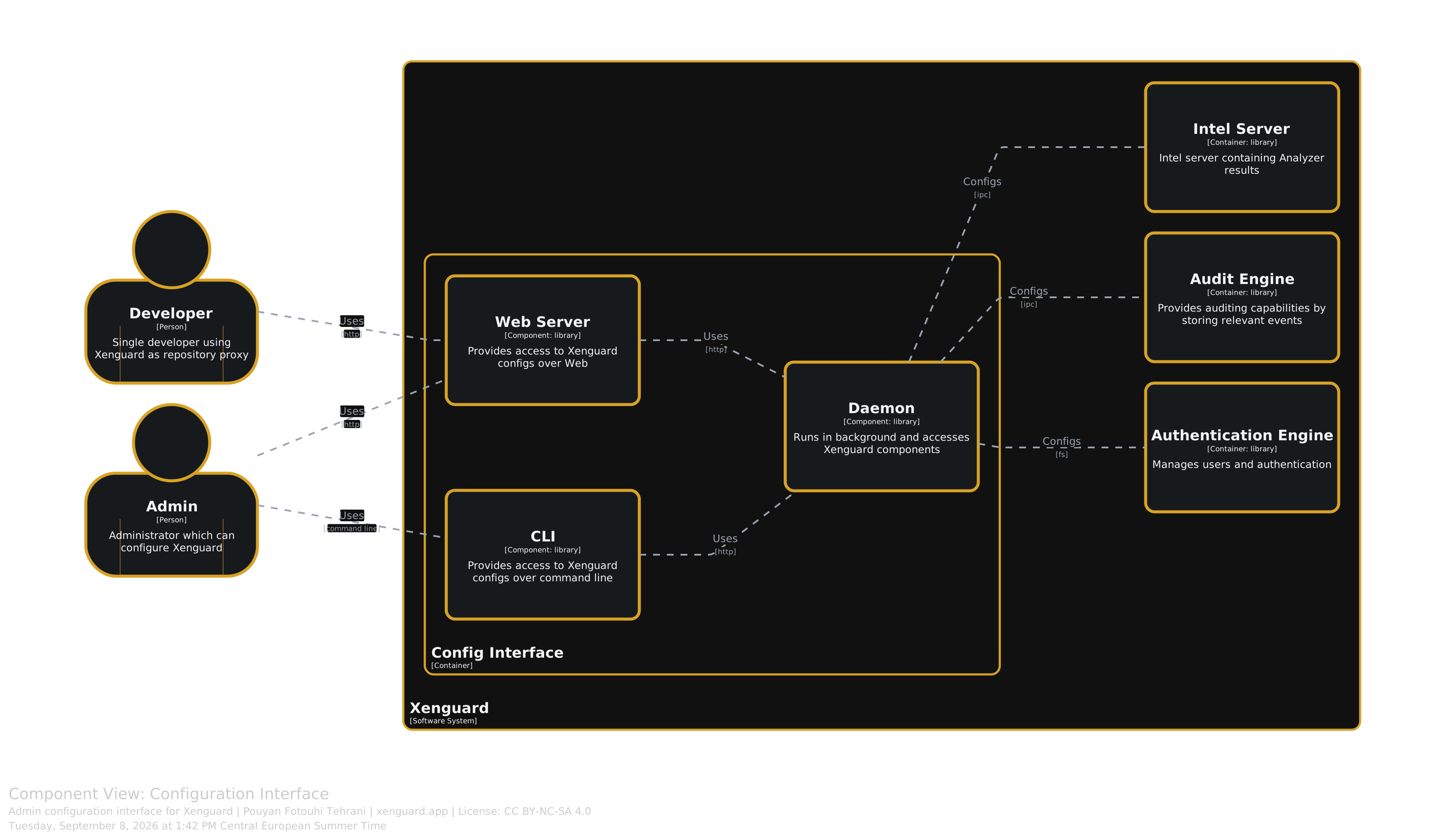
The config container provides an interface for administrative tasks. It runs a daemon that can be accessed both through a Web GUI as well as the command line (similar to Docker daemon).
Intel Server
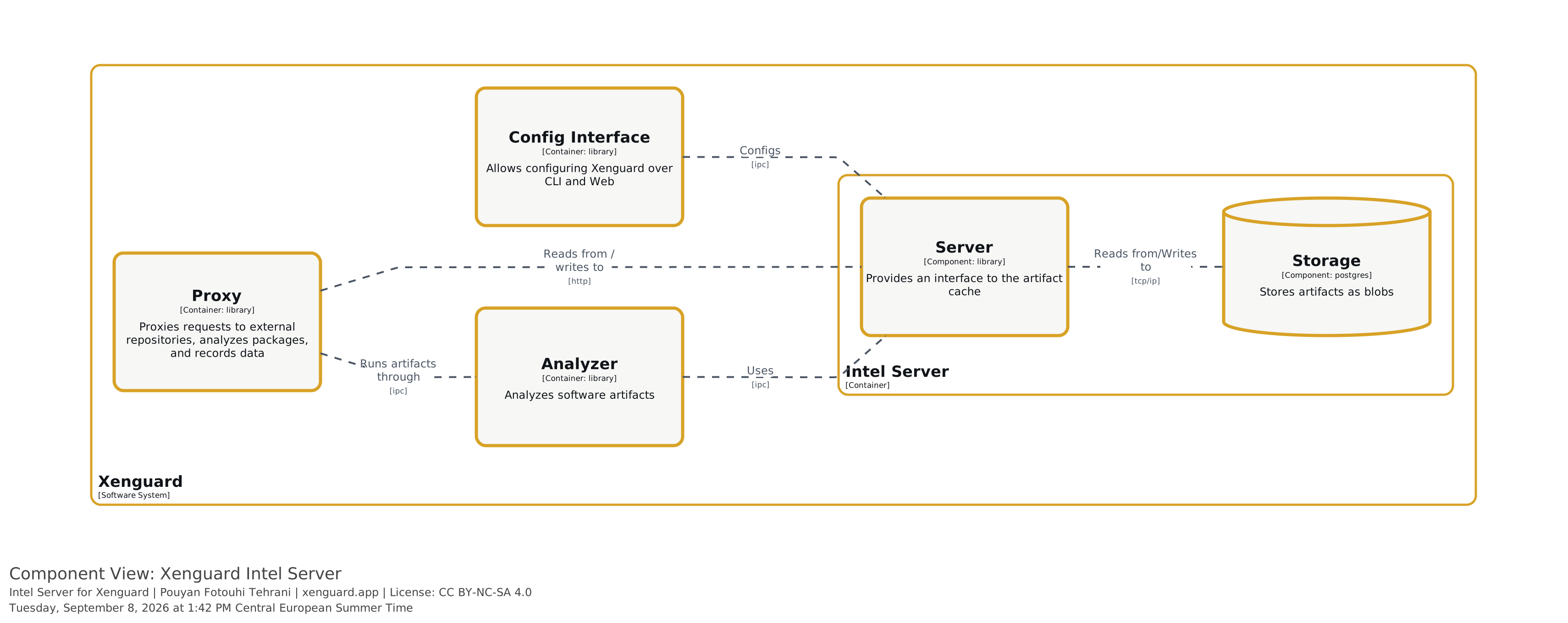
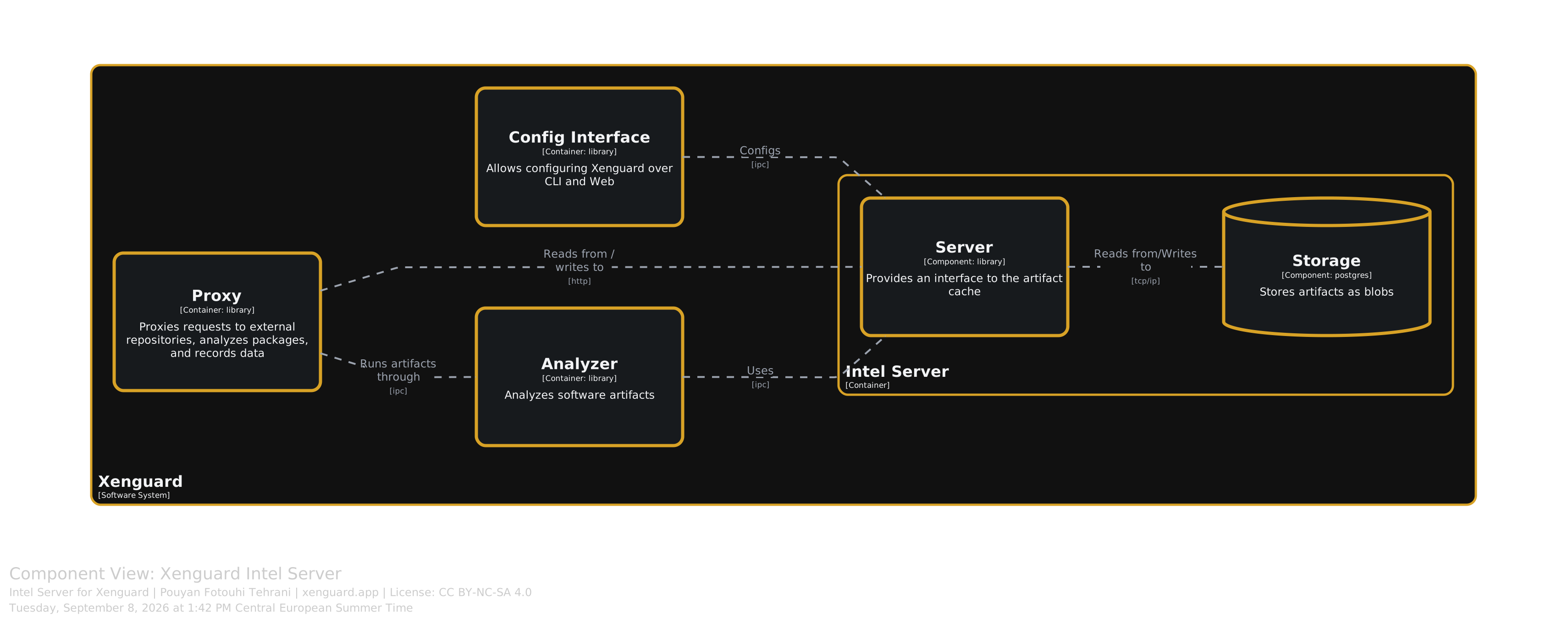
The intelegence server stores the results of analyzers to improve performance and avoid running analyzers multiple times for the same artifacts.
Monitoring Service
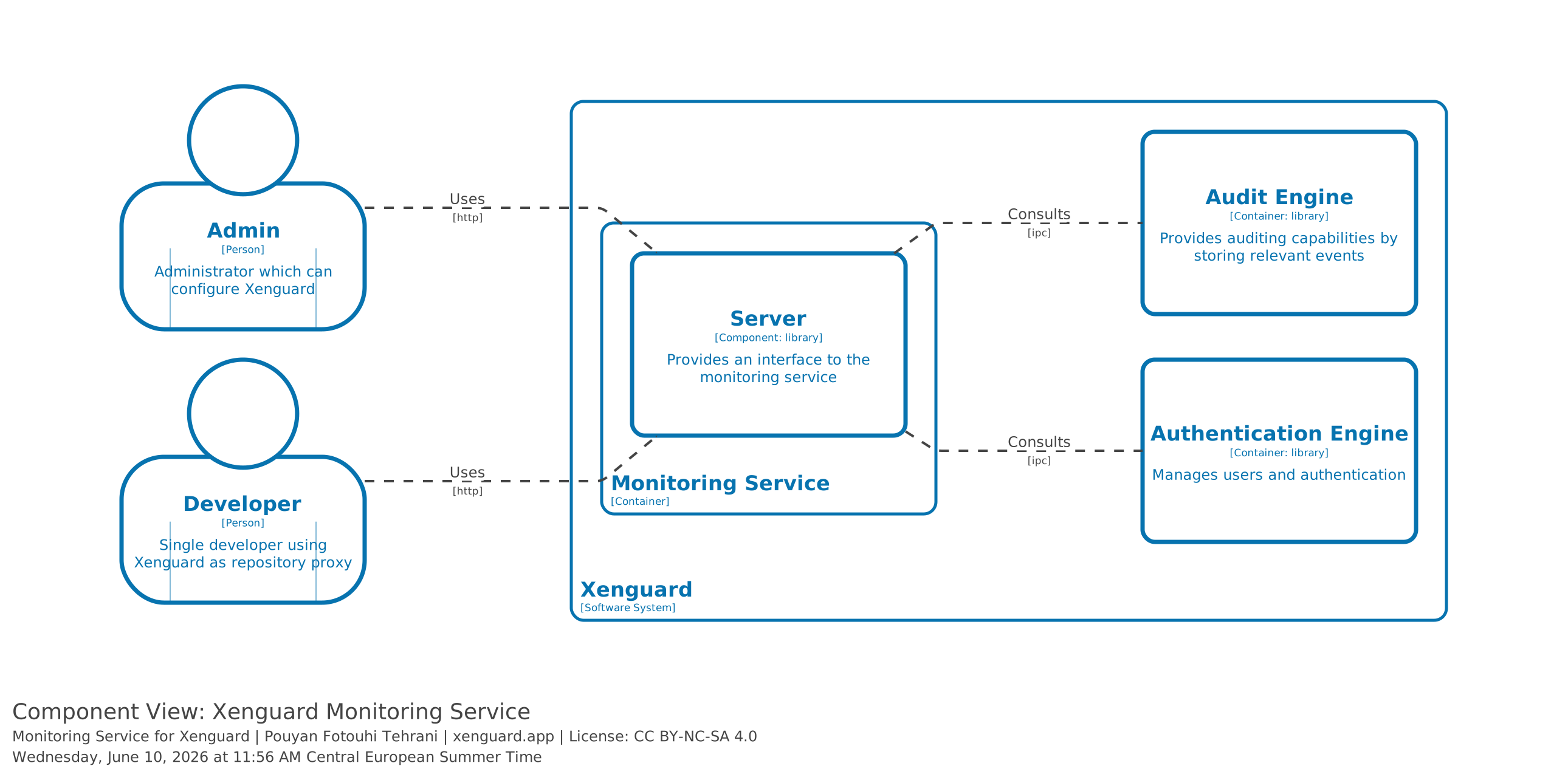
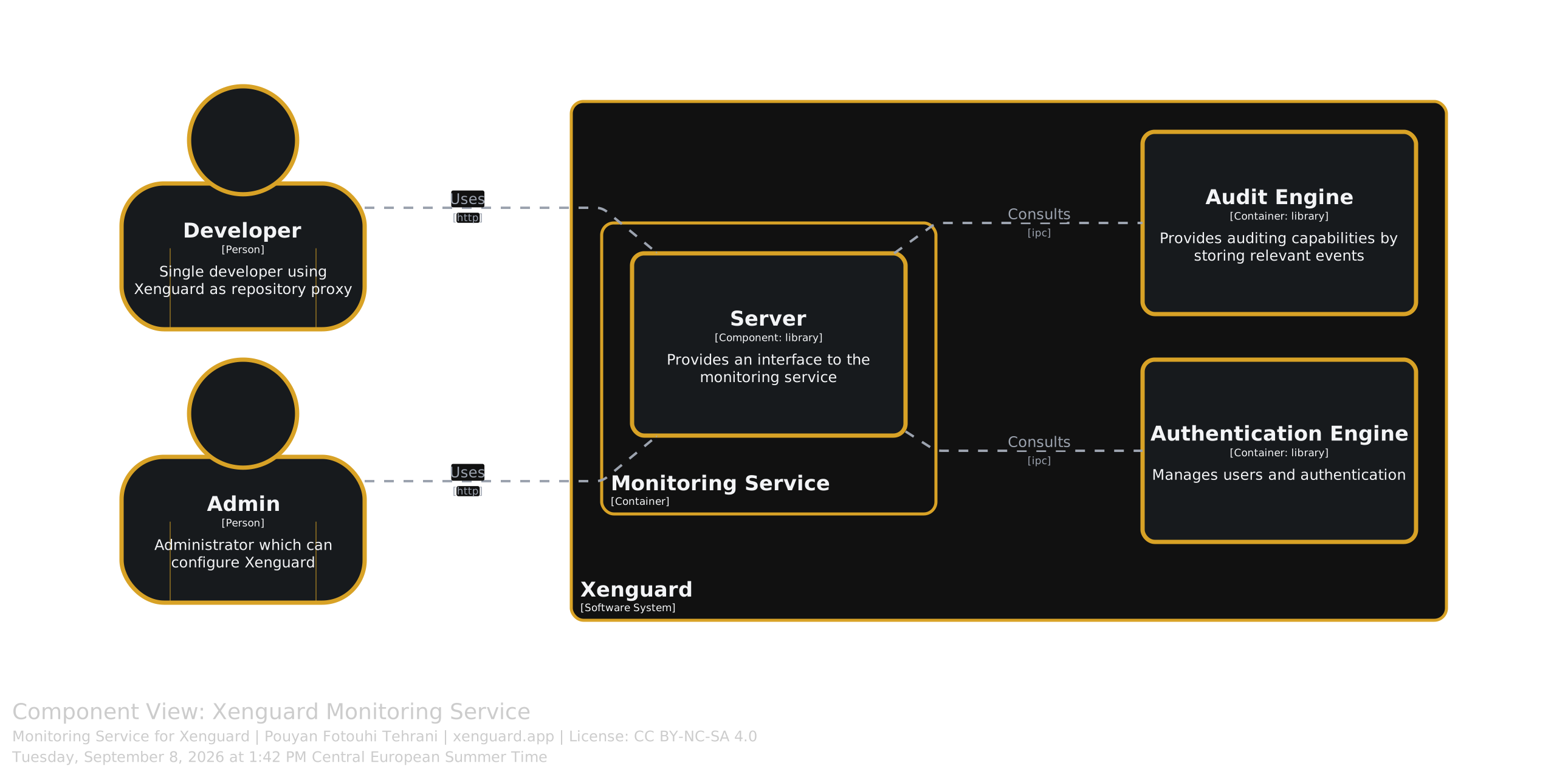
The monitoring service gives developers and admins an overview of events and activities on Xenguard. The data is sourced from the Audit Engine.
Developers and admins have different views: while admins have a bird’s-eye view of all events and activities, developers can only monitor their own.
Proxy
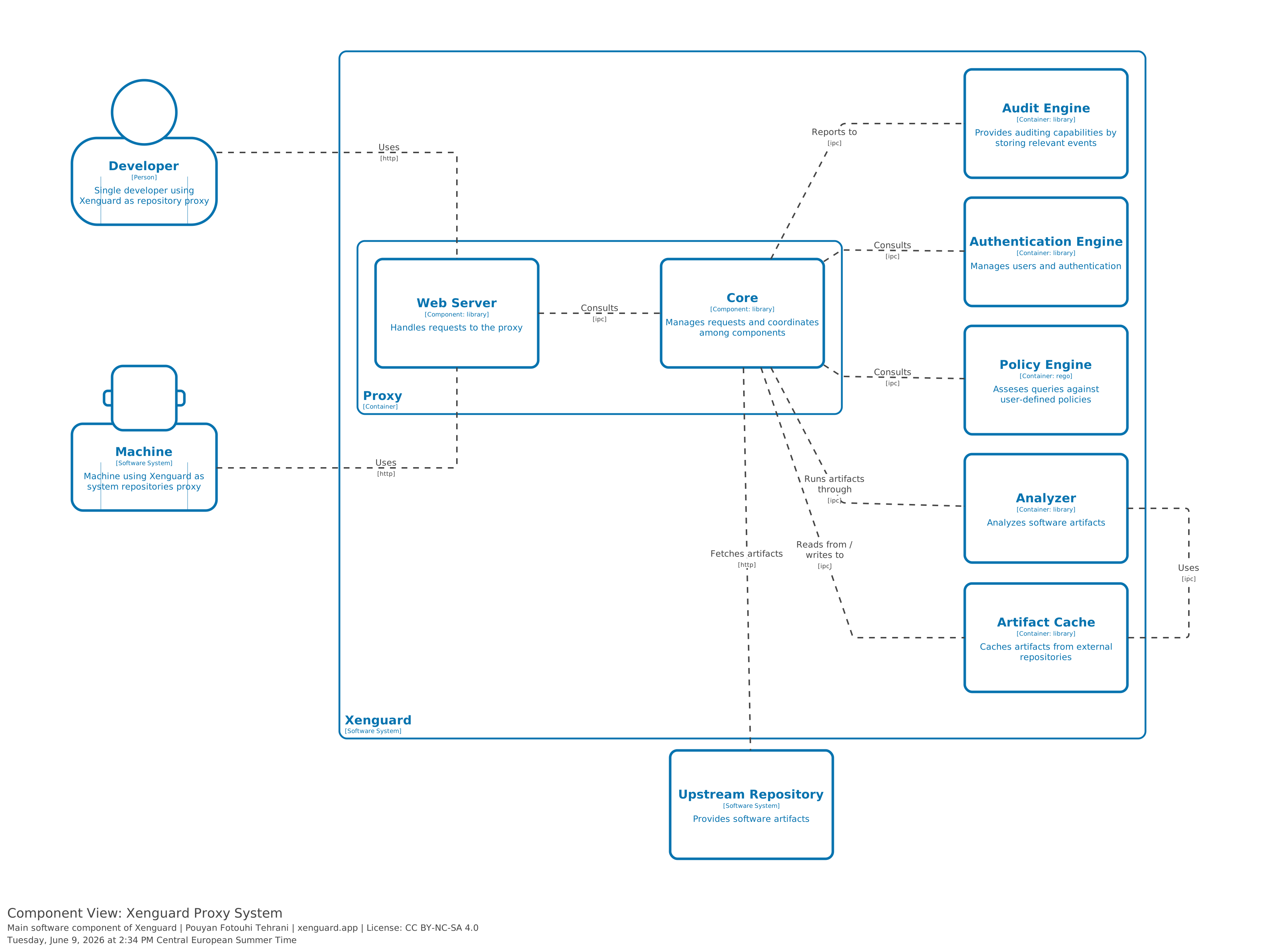
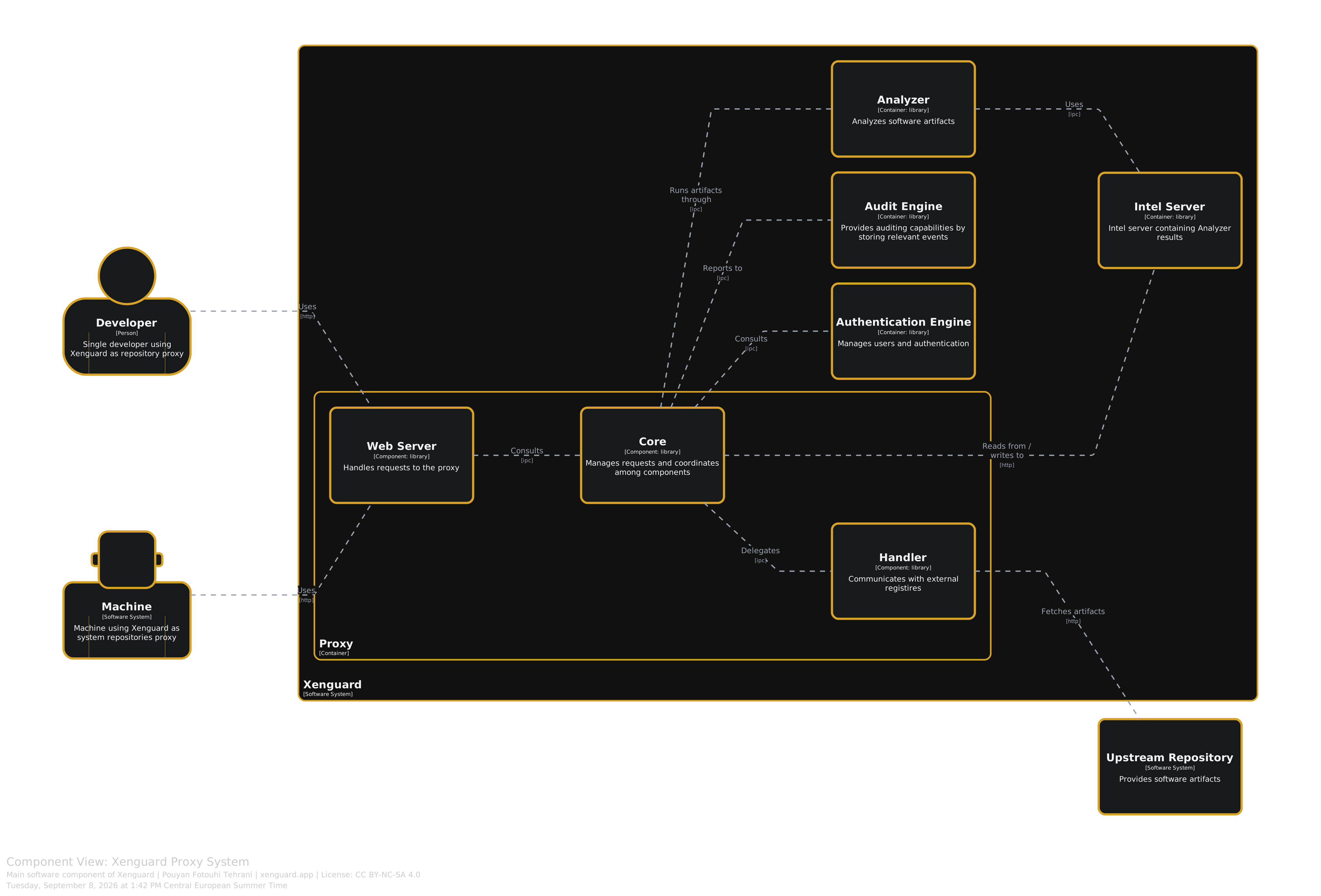
The proxy container1 is the central coordination unit and the point of entry for users in Xenguard.
It provides an HTTP interface that implements varirous repositories interfaces (e.g., npm).
The Web server is kept simple and the heavy lifting is done by the core component, which in turn manages communication and coordination with other containers and components of Xenguard.